Item Maintenance
Product Master List (View All Product Information)
The Item Maintenance menu is used to view all product information currently stored in the Villa Market system. The system automatically displays product details in a structured table, allowing suppliers to easily review and verify all product data.
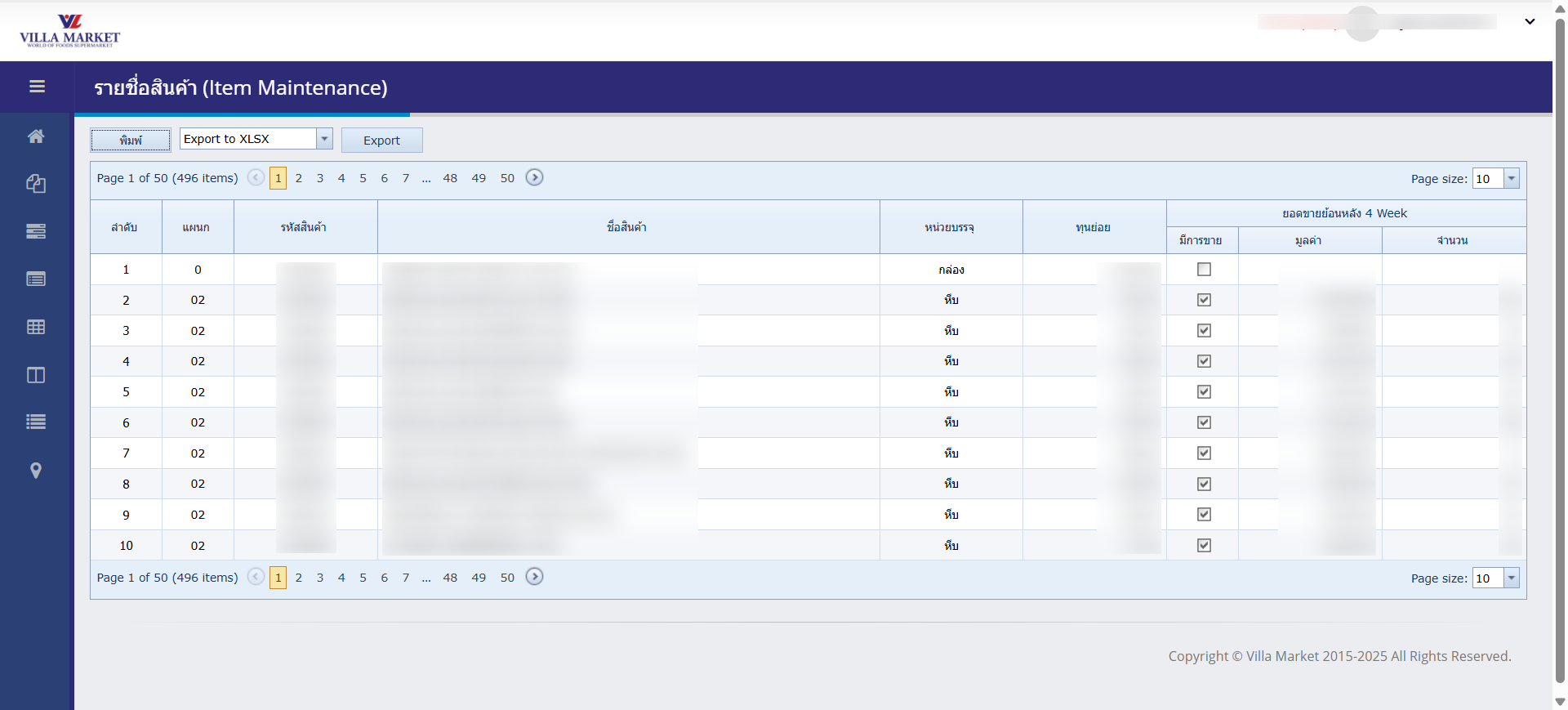
📊 Product Listing Table
When entering the Item Maintenance menu, the system displays a full product list in table format. The following information is shown:
Item Name
Item Code
Pack / Unit
Cost per Unit
Sales performance
Quantity sold
Department information
✅ All data is automatically retrieved from Villa Market’s central database.
This allows suppliers and purchasing teams to quickly check product details, costs, and sales history.
🔧 Functions in Item Maintenance
Print the current product list displayed on screen
Export to XLSX
Export the product list to an Excel (.xlsx) file for external use
Page Navigation
Navigate through pages using page numbers or adjust Page Size to change number of rows displayed
📑 Column Descriptions
Department
Product category (e.g., Fresh Fruit, Beverage, Snacks)
Item Code
Unique product identifier in the system
Item Name
Full product name
Pack Unit
Unit type (e.g., Box, Piece, Bottle)
Cost per Unit
Average cost of the product
Sales 4 Week
Total sales value over the past 4 weeks
Quantity
Total units sold in the selected period
⭐ Key Features
✅ Nearly real-time product information from Villa Market’s central database
✅ Ability to filter or search by Item Code or product details
✅ Supports Excel export for sales analysis and reporting
✅ Useful for purchasing teams, category managers, and suppliers for product review
📘 Summary
The Item Maintenance menu serves as a powerful tool for viewing and verifying product data within Villa Market’s system. Suppliers can easily review product details, cost information, 4-week sales performance, and unit quantities in one place. With Print and Excel Export functions, users can quickly generate reports or perform further analysis as needed.
Last updated