Email Contact
คู่มือการกรอกข้อมูลหน้า Edit Email Contact
The Email Contact – Edit Page allows you to update the email address and contact details of the person responsible for product-related transactions (e.g., PO management) at Villa Market.
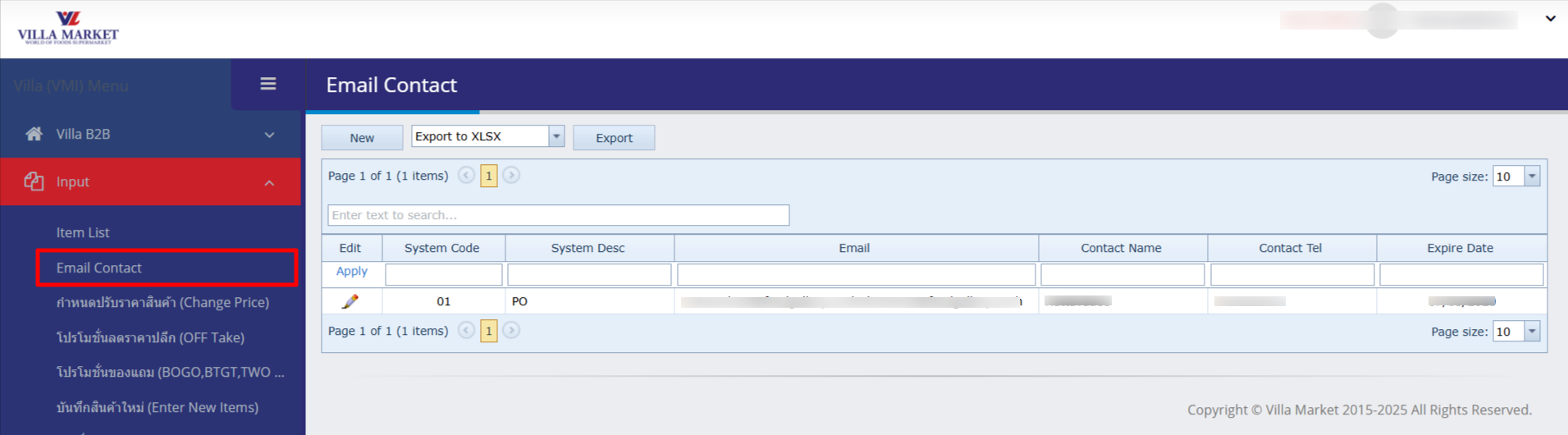
Click the Edit (✏️) button to open the form. Complete all required fields (shown in red or yellow) before saving.
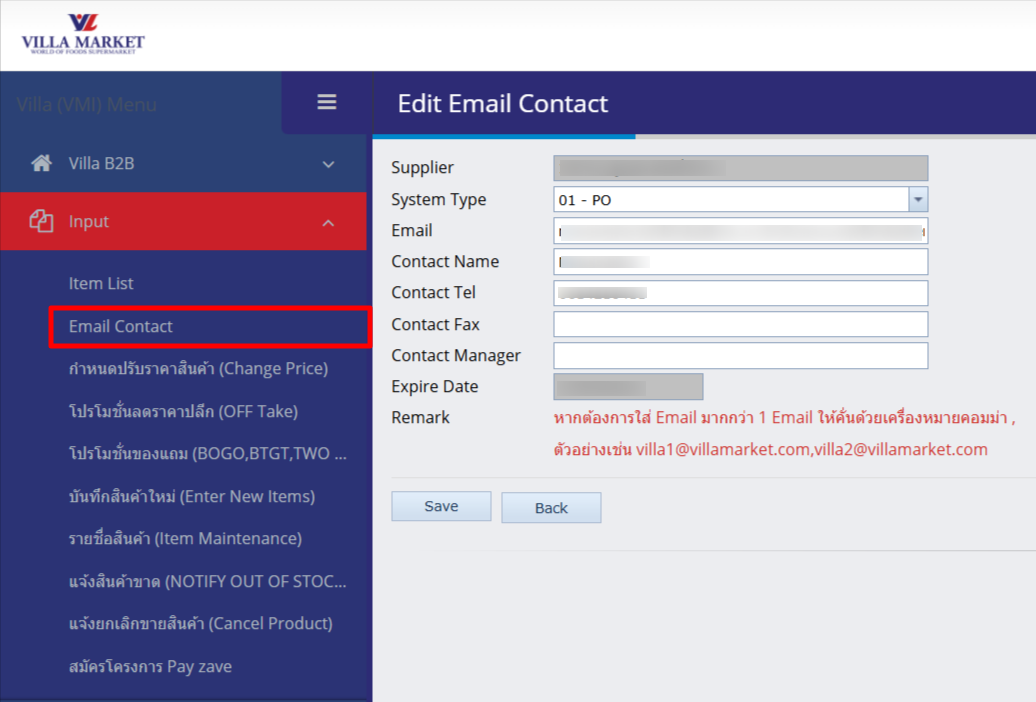
Fields and Descriptions
Supplier
Automatically displays the supplier code and name (e.g., 1808 – Food Gallery Co., Ltd.)
System Type
Specifies the user’s role or permission type (e.g., “01 – PO (Purchasing staff)”)
Enter the email address that will receive system notifications (e.g., [email protected])
Contact Name
Primary contact’s name (e.g., Nattavadee)
Contact Tel
Contact phone number
Contact Fax
Fax number (optional – leave blank if none)
Contact Manager
Name of the manager or supervisor (optional)
Expire Date
Expiry date of this contact record (used when the contact will change or become inactive)
💡 Multiple emails allowed: To add more than one recipient, separate each email with a comma (,) e.g.,
[email protected], [email protected]✅ The system will send notifications to all listed addresses.
3. Buttons & Actions
Save
Saves the entered email contact information
Back
Returns to the Email Contact list without saving
4. Important Notes & Checks
❗ Please verify each email address before clicking Save, as incorrect addresses will prevent system notifications.
If the contact person changes or the email becomes invalid, update the Expire Date and the contact details immediately.
If you’re unsure which System Type to select, please consult IT Support or the Purchasing Department.
✅ Summary
This page ensures that Villa Market’s system sends correct notifications to the right supplier contact. Completing this form accurately and completely helps ensure business documents (such as POs and promotions) are delivered quickly and without error.
Last updated